Best App for Group Drives & Car Cruises
The best app for a group drive or car cruise is AutoLNK's DriveShare, it's built to keep a whole group of cars together on one shared route, with live GPS sync of every vehicle on one map, in app voice and group chat, and fuel, E85, and multiple waypoints. Regular nav apps like Google Maps and Waze route one car; DriveShare runs the whole group. Below: what a group drive really is, why coordinating one is so hard with the apps most people reach for, how DriveShare fixes it, and a step by step for planning and running your own cruise with friends.
What Is a Group Drive or Car Cruise?
A group drive, or a car cruise, is simply a bunch of enthusiasts driving the same route together for the fun of it. No trophies, no entry fee required, no formal program. It might be a Sunday morning canyon run with a few friends, your car club's monthly cruise to a coffee spot, a scenic drive up the coast, or a multi city road trip over a long weekend. The whole appeal is the drive itself and the people you're doing it with.
That's also what makes it different from a formal car rally. A cruise is casual and social; a rally is an organized, often ticketed event with a host running a large convoy. If you're trying to host a formal rally at scale, that's a different playbook, we cover it in the best app to host car rallies guide. This post is about the casual end: planning and running a group drive or cruise with friends.
Why Is Coordinating a Group Drive So Hard?
Anyone who's tried to keep a group of cars together knows the difficulties. The plan falls apart somewhere around the third stoplight. Here's why generic navigation apps make it harder than it should be:
- They route one car, not a group. Google Maps and Waze are built to get you from A to B. They don't know there are eight other cars behind you, and they'll happily reroute you alone around traffic the rest of the group is still sitting in.
- Everyone's on a different route. Send the destination to a group chat and each app picks its own "fastest" path. Now half the group took the freeway and half took the scenic road, and you're all "almost there" in completely different places.
- The pack splits at every light and merge. Without a way to see where everyone is, the fast cars pull ahead, the group gets cut by a light, and you spend the drive pulled over on a shoulder waiting and counting cars.
- Communication is a mess. Texting while driving is dangerous and illegal; a group text blowing up with "where are you?" helps no one at 70 mph.
- Nobody knows where the stops are. Where are we stopping for gas? Where's the regroup point? Who needs E85? It's all in someone's head, not on the map everyone's following.
How Does DriveShare Solve It?
DriveShare is AutoLNK's live group drive system, the part of the platform made specifically for moving a group of cars together. Instead of everyone navigating solo and hoping they end up in the same place, the whole group runs off one shared route with everyone's position live on the map. Here's what that gives you:
- Live GPS sync of the whole group. See every car in the group in real time on one map, so you always know who's ahead, who's behind, and whether the pack is together, no more pulling over to count cars.
- One shared route everyone follows. The route is set once and shared to the whole group, so everyone's on the same path with the same turns. No more half the group taking the freeway.
- Live, hands free communication. In app voice channels and group chat let you talk to the whole group on the move, call out the next turn, a stop, or a slowdown without anyone fumbling with a phone.
- Group management to keep everyone together. DriveShare is group aware, it's designed around keeping a moving group of cars together, not optimizing one driver's arrival time.
- Fuel, E85, and POI stops on the route. Build in fuel stops (including E85 locations), shops, and points of interest along the way, so the gas stop and the lunch spot are already on the map everyone's following.
- Alerts, weather, traffic, and road cameras. Live alerts, weather, traffic conditions, and road cameras along the route mean the whole group sees what's coming, not just whoever happened to check.
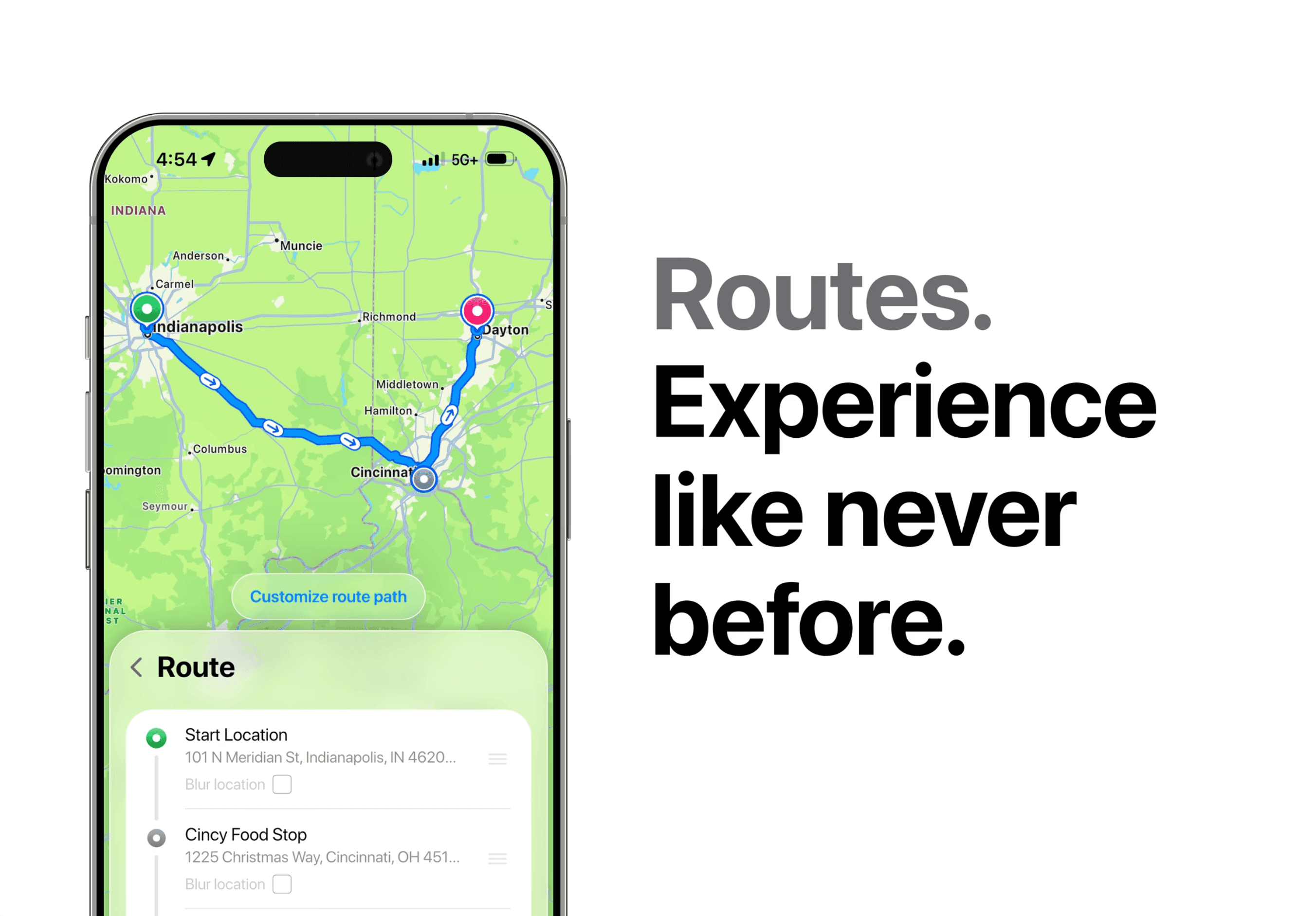
- Route blur for privacy. Want to keep your start point or meet location private until the drive begins? Route blur hides the exact start/meet location, so an open invite doesn't broadcast where everyone's parking.
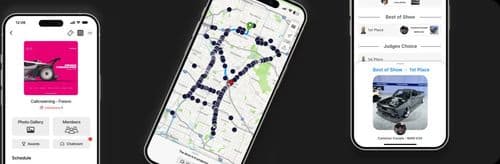
DriveShare is part of AutoLNK, a free all in one automotive event platform for finding, hosting, ticketing, and running car meets, shows, Cars & Coffee, cruises, track days, and rallies, on iOS and Android. The drive running piece is DriveShare. See how DriveShare works →
How Do You Plan a Group Drive? (Step by Step)
You don't need to be an event organizer to run a good cruise. Here's the flow:
- Pick the route and the vibe. Coast cruise, canyon run, coffee and back, or a multi-day road trip? Decide the feel first, relaxed scenic cruise or a longer point to point, and roughly how long you want to be out.
- Build a custom route in DriveShare. Map your start, your turns, and your end point. DriveShare handles multi stop, multi city, and even multi day routes, so a quick Sunday loop and a weekend road trip both work the same way.
- Drop in your stops. Add fuel stops (including E85 for the cars that need it), a coffee or lunch spot, a scenic overlook, or any shop or point of interest you want to hit. Now they're on the route, not in someone's head.
- Set a regroup point. For anything with a spread out group, pick a spot to regroup so the fast cars and the cruisers all reconnect before the next leg.
- Decide if it's open or private. Cruising with a tight group of friends, or putting out an open invite to the club? If you want to keep the meet spot under wraps until go time, turn on route blur.
- Share the route with the group. Everyone gets the same route and follows the same path, no separate "fastest route" sending people in different directions.
How Do You Run the Drive Once Everyone's Rolling?
Planning is half of it. Here's how DriveShare keeps the actual drive together:
- Watch the group on one live map. Live GPS sync shows every car in real time, so you can see the pack at a glance and tell instantly if someone's fallen off the back.
- Talk, don't text. Use the in app voice channel to call the next turn, flag a slowdown, or announce the upcoming stop, and group chat for anything that doesn't need to be said out loud.
- Keep the group together. Because everyone's locked to one shared route and visible on the map, getting split by a light is a quick fix, not a 20 minute roadside wait.
- Stay ahead of conditions. Live alerts, weather, traffic, and road cameras along the route let the group adjust together, reroute around the jam or wait out the weather as one.
- Hit the planned stops together. Fuel, E85, and POI stops are already on the route, so the whole group pulls in at the same place instead of scattering across three gas stations.
Can You Charge for a Group Drive?
Yes. If your cruise grows into something bigger, a paid scenic drive or a club fundraiser run, DriveShare supports paid and ticketed drives, so the casual Sunday cruise and the paid event live on the same system. If your focus is specifically hosting a large, formal, ticketed rally, the best app to host car rallies guide goes deep on the hosting side.
Are You Running a Group Drive or a Formal Rally?
- A group drive / cruise is casual and social: friends or a club, a scenic route, a coffee run, no formal program. That's what this guide is for, plan it and run it with DriveShare.
- A formal rally is an organized, often ticketed event with a host managing a large convoy and a structured program.
FAQ
What's the best app for group drives and car cruises? AutoLNK's DriveShare. Unlike a solo navigation app, it's built to keep a whole group of cars together, one shared route, live GPS sync of every vehicle on one map, in app voice and chat, and fuel, E85, and scenic stops planned into the route.
Why not just use Google Maps or Waze for a group drive? Those apps route one car door to door, they're great for solo trips but aren't built to keep a group together, share a single route across everyone, or let a moving convoy communicate live. DriveShare is built specifically for that.
How do I keep everyone on the same route? In DriveShare you build one route and share it with the group, so everyone follows the same path with the same turns and stops, instead of each phone picking its own "fastest" way and splitting the group up.
Can I plan a multi day or multi city road trip with friends? Yes. DriveShare supports custom multi stop, multi city, and multi day routes, so a Sunday loop and a long weekend road trip are planned the same way.
How does the group communicate while driving? Through in app voice channels and group chat, so you can call out turns, stops, and slowdowns to the whole group hands-free instead of texting.
Can I plan fuel and food stops into the drive? Yes. You can add fuel stops, including E85 locations, plus shops and points of interest along the route, so gas and lunch are already on the map everyone's following.
Can I keep the meet location private? Yes. Route blur lets you hide the exact start or meet location, which is handy when you put out an open invite but don't want to broadcast where everyone's parking.
Is AutoLNK free? Yes. AutoLNK is a free all in one automotive event platform on iOS and Android for finding, hosting, ticketing, and running car meets, shows, Cars & Coffee, cruises, track days, and rallies. DriveShare is its live group drive system.
Plan your next cruise the easy way, open DriveShare on AutoLNK →