Animated 3D Venue Maps for Car Events: Drift, Fireworks & More
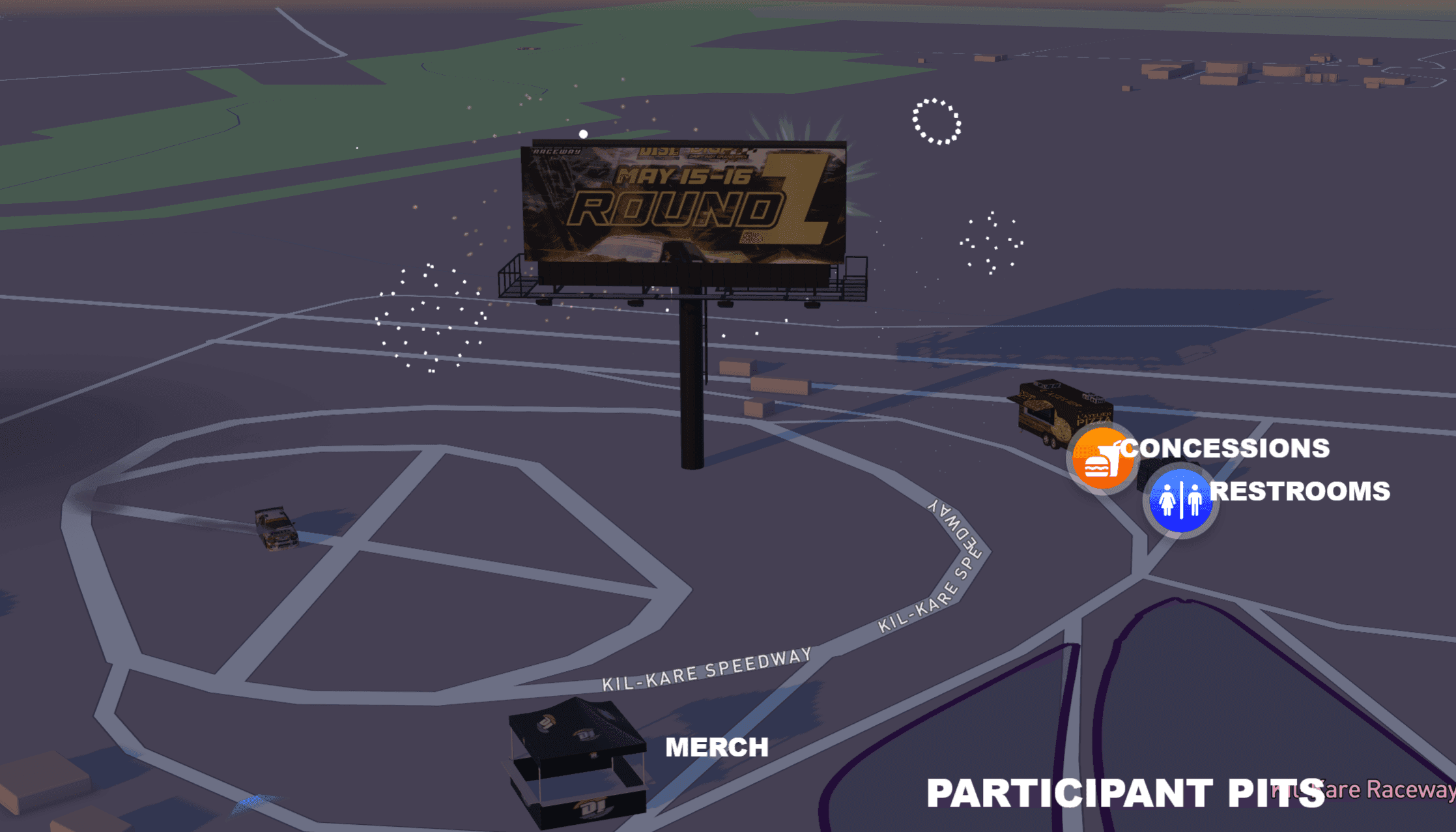
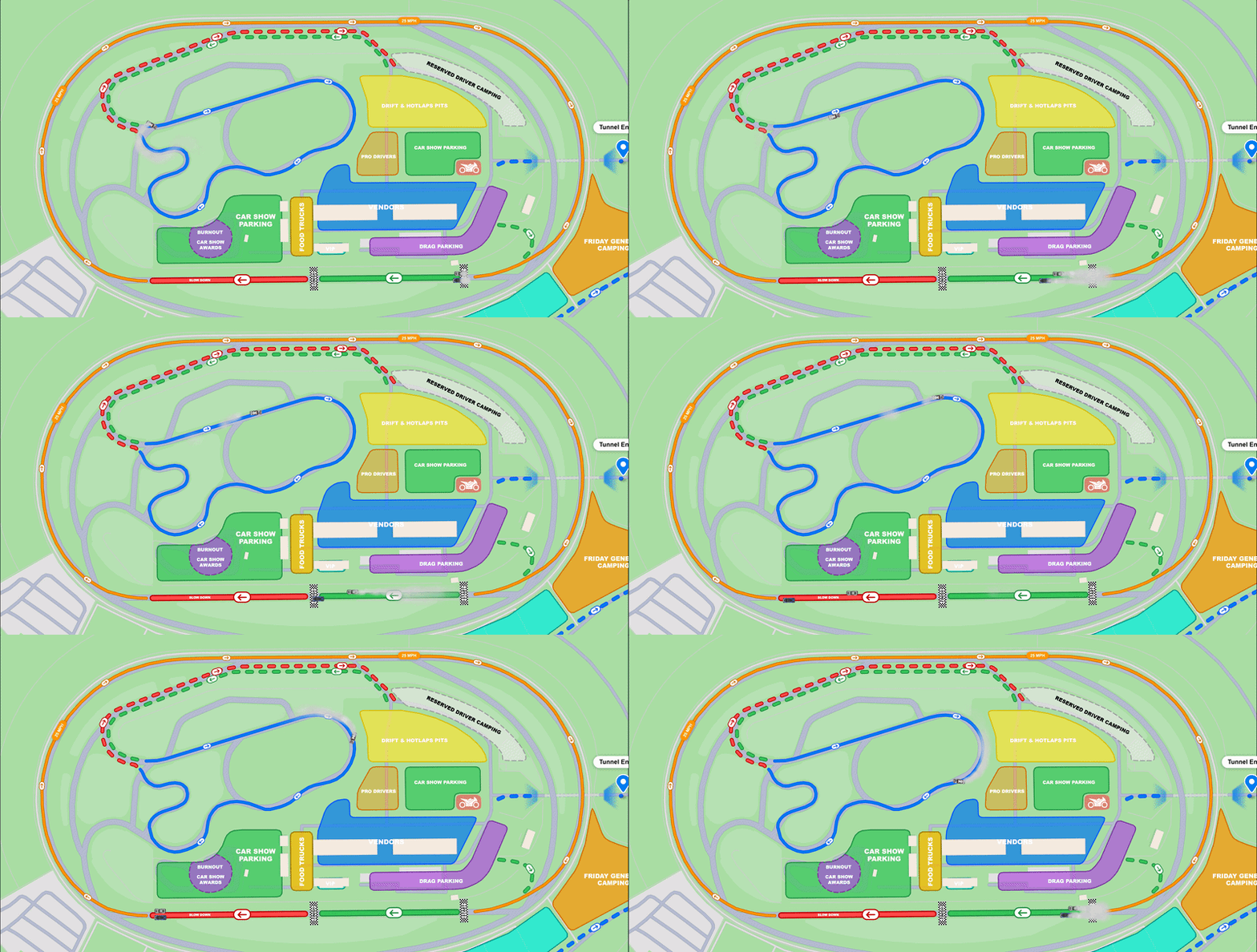
AutoLNK Venue Maps lets organizers add live 3D animations to their event map, drift, fireworks, drag launches, smoke, and skid marks, turning a static layout into a moving preview of the event.
A car event is not still, so its map should not be either. Animations let you show drift demos, fireworks, and burnout zones right on the layout, so attendees know what is happening and where before they ever show up. View example here
What Animations Can You Add to a Venue Map?
AutoLNK supports five core venue-map animations that organizers can place anywhere on the layout:
- Drift: a car slides through a corner, with adjustable speed and smoke
- Fireworks: timed bursts over stages, finish lines, or the main show area
- Drag launch: a car launches from a line, with smoke and skid marks
- Smoke: standalone smoke effects for burnout zones or show moments
- Skid marks: tire marks left on the surface to mark drift or launch areas
Each animation can be dropped onto the map and positioned for the real event layout, so the map matches what attendees will actually see.
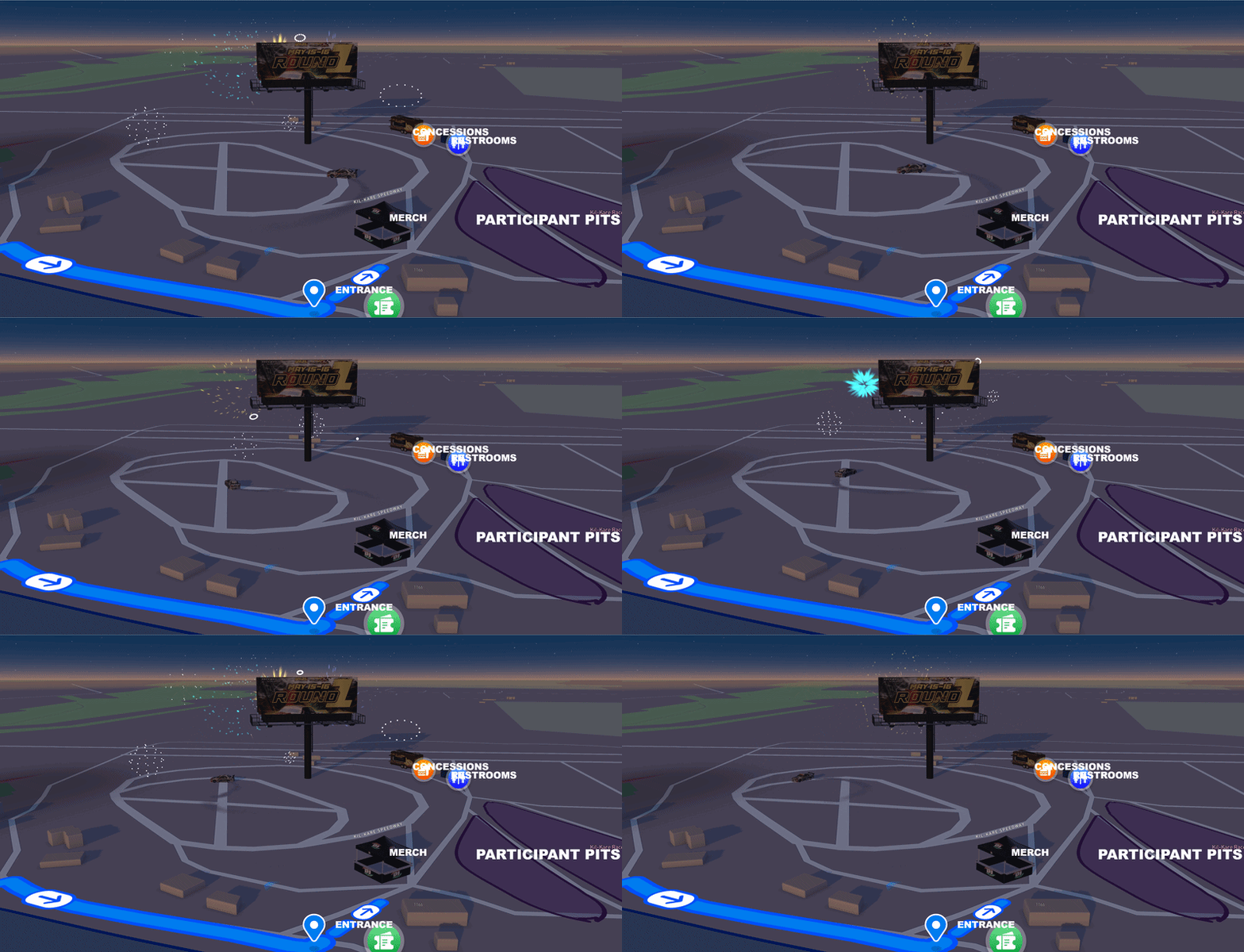
Auto Branded Vendor Booths and Billboards
When you build your venue map, you can upload a logo to any vendor booth and it is placed onto the booth automatically. Do it for each vendor and every booth on the map carries that vendor's branding, so the layout shows who is where, not just a row of identical tents.
This makes the map feel like the real event and gives vendors and sponsors visible placement on the map.
How Do Attendees Use the Map?
AutoLNK Venue Maps is not a flat image. Attendees open the map in the AutoLNK app and use turn by turn navigation to get to a specific gate, entrance, or zone, the app routes them there directly.
That means fewer "where do I go?" questions on event day, and a smoother arrival for show parking, spectator parking, VIP, vendors, and drivers.
How AutoLNK Compares to Standard Ticketing Platforms
Standard ticketing platforms were built for seats, not for car events. Most have no event venue map at all,, no parking flow, no vendor layout, no entrances, and nothing animated or interactive.
| Feature | Eventbrite | Ticketmaster | SeatGeek | AutoLNK |
|---|---|---|---|---|
| Interactive event venue map | No | No | No | Yes |
| 3D animations | No | No | No | Yes |
| branded vendor booths | No | No | No | Yes |
| In app turn by turn navigation to entrances | No | No | No | Yes |
| Built for automotive events | No | No | No | Yes |
AutoLNK Venue Maps are different because they are built around how car events actually operate, parking flow, vehicle areas, roll in routes, vendor rows, staging, and the energy of the event itself.
FAQ
Can you add animations to an event venue map?
Yes. AutoLNK Venue Maps supports five core 3D animations, drift, fireworks, drag launches, smoke, and skid marks, that organizers can place anywhere on the map. Each animation can be positioned to match the real event layout, so the map previews what attendees will see on event day.
Can you put vendor logos on booths?
Yes. When building your venue map, you can upload a logo to any vendor booth and it is automatically placed onto the booth in 3D. Organizers can brand each vendor's booth individually, so the map shows exactly who is set up where. For full event setup, see How to Create an Interactive Venue Map for a Car Show.
Can attendees navigate to a specific entrance?
Yes. The venue map is interactive inside the AutoLNK app, not a flat image. Attendees can open the map and use turn by turn navigation to reach a specific gate, entrance, or zone, which reduces confusion on event day for parking, vendors, VIP, and drivers.
What car events work with animated venue maps?
Animated venue maps work for car shows, meets, Cars & Coffee events, rallies, festivals, motorsports events, and vendor markets. For recurring meets, see What is the Best App for Cars and Coffee Events in 2026?.
Add Animations to Your Next Event
A venue map should show the energy of your event, not just its location. With AutoLNK, organizers can add 3D animations, branded vendor booths, and give attendees in app navigation, all from the web editor.
Create your next event on AutoLNK